| Cable |
Port |
How it's used |
|
|
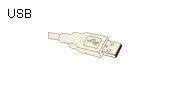
Transmits data at various speeds.
USB 1.0 @ up to 12MB/second
USB 2.0 @ up to 480MB/second
USB 3.0 @ up to 5GB/second
USB cables are backward compatible, but a 3.0 cable is required to get 3.0 speeds.
|
|
|
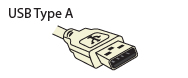
Transmits data and delivers power (USB 1.0 does not deliver power). Commonly seen on devices with permanently attached cables.
Example: A keyboard to a PC.
|
|
|
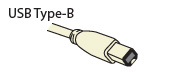
Transmits data and delivers power to peripherals.
Example: A printer to a PC
|
|
|
Transmits data and delivers power to smaller devices. Mini-A has been superseded and is no longer being used for new devices.
Example: A digital camera to a printer
|
|
|
Transmits data and delivers power to smaller devices.
Example: A digital camcorder to a PC
|
|
|
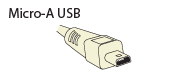
Transmits data and delivers power to portable devices. Similar width to mini USB but approximately half as thick.
Example: A smartphone to a PC
|
|
|
Transmits data and delivers power to portable devices. Similar width to mini USB but approximately half as thick.
Example: A PDA to a PC
|
|
|
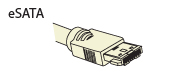
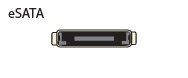
Transmits high-speed data. A branch of the Serial ATA interface. Faster than FireWire and USB 1.0 and 2.0.
Example: An external hard drive to a PC
|
|
|
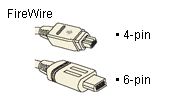
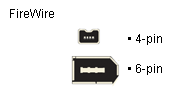
Transmits high-speed data. The six-pin version delivers power; the four-pin does not. FireWire is also called i.LINK and IEEE1394. Faster than USB 1.0 and 2.0.
Example: A digital camcorder to a PC
|
|
|
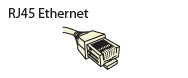
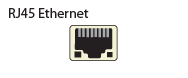
Transmits high-speed data on local area networks (LANs), including Internet and intranet networks.
Example: A PC to a router
|
|
|
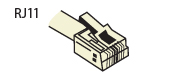
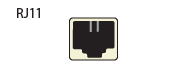
Transmits faxes and data on local area networks via phone line. Much slower than Ethernet.
Example: A PC to a fax machine.
|
|
|
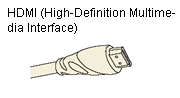
Transmits and protects copyrighted digital video and audio at speeds up to 4.9GB/second, with a refresh rate fast enough for 1080p video.
Example: A DVD player to an HDTV.
|
|
|
Transmits and protects copyrighted digital video and audio at speeds up to 10.2GB/second, with a refresh rate fast enough for 1080p and 3D video.
However, HDMI 1.3 will display 3D content in 1080i and 1.4 will display 3D in full 1080p.
Example: A 3D Blu-ray player to a 3D-capable HDTV.
|
|
|
Transmits and protects copyrighted digital audio and video with bi-directional communication.
Example: A PC to an HD monitor
|
|
|
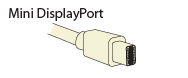
Transmits and protects copyrighted digital audio and video with bi-directional communication for smaller devices.
Example: A laptop to an HD monitor.
|
|
|
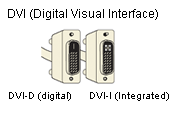
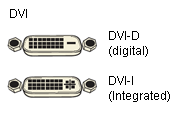
DVI-D transmits digital video without audio.
DVI-I transmits digital and analog video without audio.
Example: An HD tuner to an HDTV
|
|
|
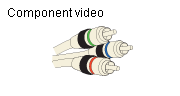
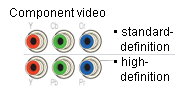
Transmits video and comes in standard definition and high definition (HD). Higher quality than S-video and composite.
Example: A DVD player to an HDTV
|
|
|
Transmits video as two separate signals: lumen (luminance) and chroma (color). Higher quality than composite but cannot deliver HD video.
Example: A video game console to a TV
|
|
|
Transmits analog video. Cannot be used for HD or digital video.
Example: A DVD player to a TV
|
|
|
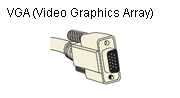
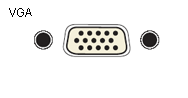
Transmits analog video from a PC to a monitor or TV.
Example: A laptop PC to a monitor
|
|
|
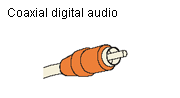
Transmits digital audio.
Example: Stereo speakers to a receiver
|
|
|
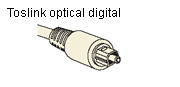
Transmits digital audio.
Example: A video game console to a receiver
|
|
|
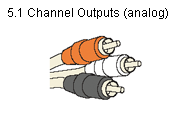
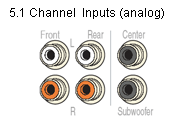
Transmits up to six specific audio channels (such as left, right, center, left surround, etc.) from your DVD player to an external device.
Example: A DVD player to a receiver
|
|
|
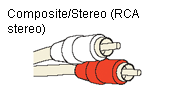
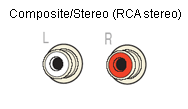
Transmits left and right channel audio.
Example: Stereo speakers to a receiver
|
|
|
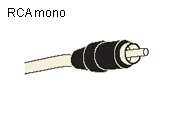
Transmits analog audio.
Example: A subwoofer to a home theater system
|
Some of these cables are included with products; others must be purchased separately. Check product specs to see what’s in the box.